Building a 3D Sokoban Game with Three.js and React
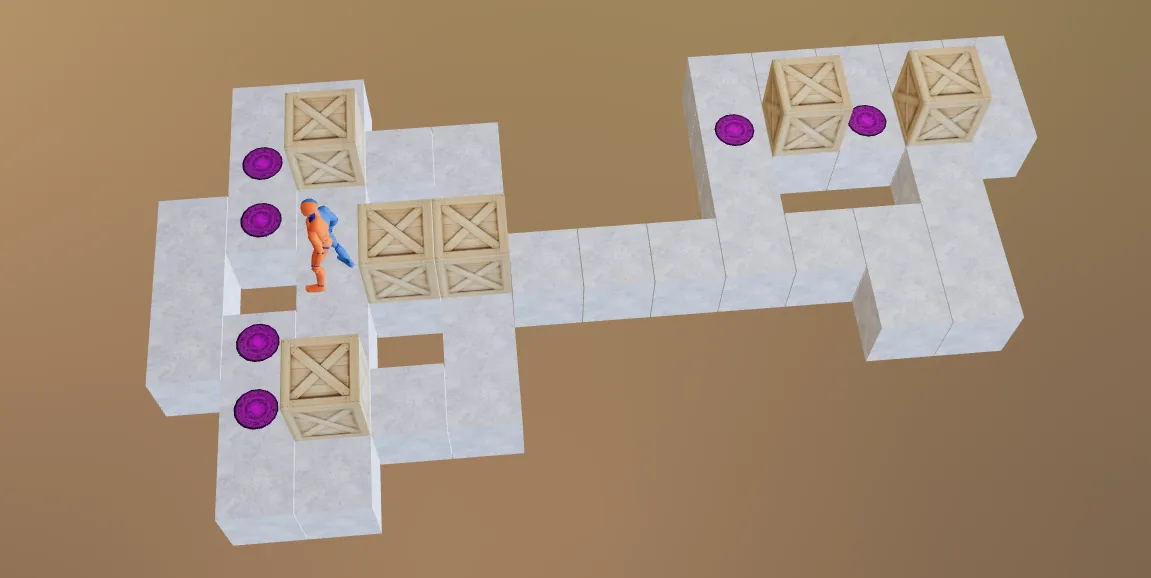
A few years ago, I worked on a 3D project to visualize a stock yard - it was a C# WPF project. Then two things collided: a JavaScript meetup at Tactile Games in Copenhagen, and a semester teaching web development at ReDI School of Digital Integration Denmark.
In class, I demonstrated how to build a classic 2D Sokoban puzzle game from scratch using vanilla JavaScript and the Canvas API. The students got to see the whole picture - collision detection, win conditions - with no abstractions in the way.
I expand the project into 3D version Sokoban 3D - a fully browser-based 3D puzzle game with 2500+ levels, installable as a PWA, built with Three.js and React.
This article is a deep dive into how it’s built.
Table of Contents
- The 2D Foundation
- Tech Stack Overview
- Parsing 2500+ Levels
- Level Data Structure
- Setting Up the 3D Scene
- Building 3D Game Objects
- Game Logic: Movement and Collision
- Animations with Tween.js
- The Player: A Skeletal 3D Model
- Undo/Redo with Zustand Temporal
- Click-to-Move and Possible Moves
- PWA: Play Offline, Install on Phone
- Reflections
The 2D Foundation
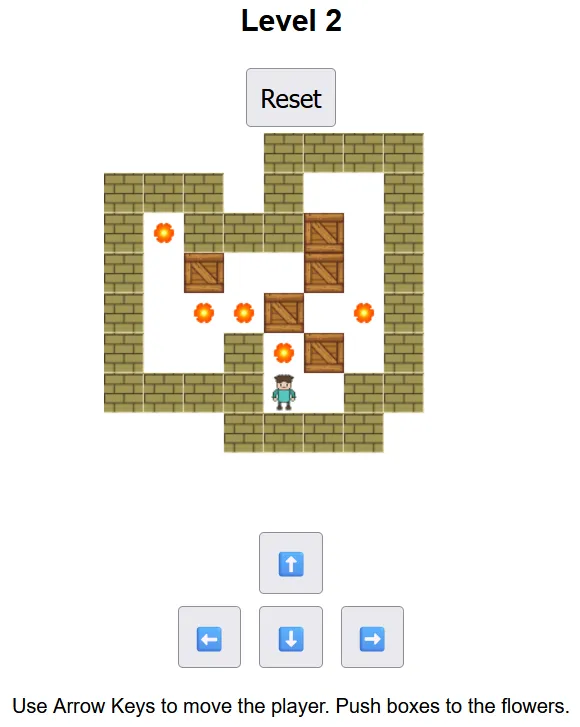
Before the 3D version, there was a simpler one built for the classroom. The entire game fit in a single script.js file - about 300 lines of vanilla JavaScript. No frameworks, no bundler. Just the HTML5 Canvas API and pure browser APIs.
// Tile factory - each cell in the grid becomes one of these
tile(v) {
  return { isWall: false, isGoal: false, hasBox: false, isPlayer: false, ...v }
}
Level designs were stored as character arrays using the standard Sokoban notation:
| Symbol | Meaning |
|---|---|
# | Wall |
@ | Player |
$ | Box |
. | Goal |
* | Box on goal |
+ | Player on goal |
| Empty floor |
The movement function - maybe 30 lines - handled collision detection, box pushing, and win detection. Sprite images (wall, box, player, flower) were drawn onto the canvas tile by tile, with 32px per cell.
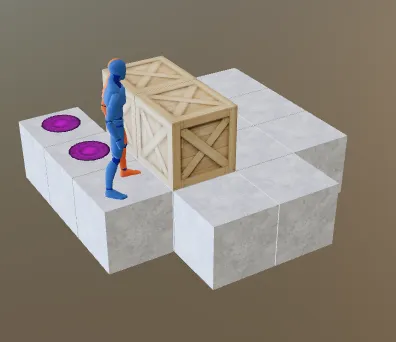
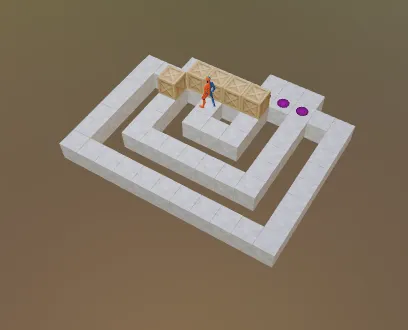
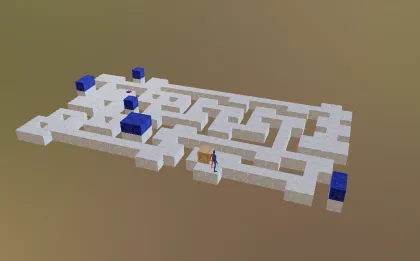
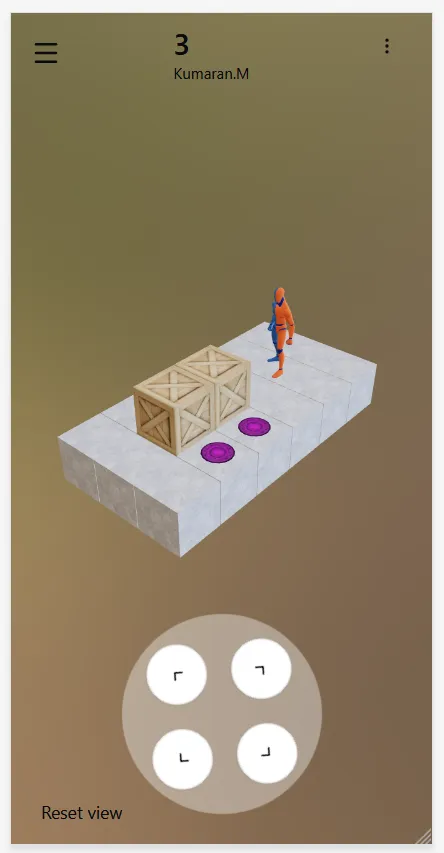
The 3D game screens
Tech Stack Overview
The 3D version introduces a proper build pipeline and a set of modern libraries:
| Concern | Library |
|---|---|
| 3D rendering | Three.js via @react-three/fiber |
| 3D helpers/abstractions | @react-three/drei |
| UI framework | React 19 |
| State management | Zustand (with immer + temporal) |
| Routing | TanStack Router |
| Data fetching | TanStack Query (React Query v5) |
| Styling | Tailwind CSS v4 |
| UI components | Radix UI / shadcn |
| Animation | Tween.js |
| Build tool | Vite |
| PWA | vite-plugin-pwa + Workbox |
| Language | TypeScript |
Parsing 2500+ Levels
The game ships with over 2500 levels across 30+ collections, contributed by the Sokoban community over decades. These levels exist as plain text files in a standard format. A separate tool “sokoban-level-parser” was built to convert them into structured JSON.
The parser is a small TypeScript program that runs on Bun. It reads a text file like this:
#####
##   ##
# $   #
#  .  #
##   ##
#####
Title: 1

######
#    #
# $. #
# @  #
######
Title: 2
And outputs a JSON array:
[
	{
		"id": "2d9625d2-ddb0-4e6a-9fed-5f85501409a3",
		"title": "1",
		"design": ["#####", "##   ##", "# $   #", "#  .  #", "##   ##", "#####"]
	}
]
The core parsing logic maintains a running buffer of grid lines. When it encounters a Title: line, it finalises the accumulated lines into a Level object and resets the buffer. Each level gets a crypto.randomUUID() as its ID.
type Level = {
	id: string; // UUID
	title: string; // from "Title: " line
	design: string[]; // raw row strings
};
Level Data Structure
Once loaded, a level’s text design is parsed into a grid of Tile objects:
interface Tile {
	id: number; // (row + 10) * 100 + (col + 10)
	isWall: boolean;
	isGoal: boolean;
	hasBox: boolean;
	boxId: number; // references a Box by ID
	isPlayer: boolean;
	isFloor: boolean;
	position: Point3D; // [col * TileSize, row * -TileSize, 0]
}
The ID formula (row + 10) * 100 + (col + 10) encodes position into a unique integer, making tile lookups O(1) by coordinate. The +10 offset handles levels that extend into negative coordinate space.
A flood-fill algorithm runs after parsing to mark “interior” floor tiles (enclosed by walls) as distinct from “exterior” empty space. This ensures only playable surface gets rendered.
Setting Up the 3D Scene
The Sokoban.tsx component is the root of the 3D world. It uses R3F’s <Canvas> to create a WebGL context:
<Canvas
  shadows
  camera={{
    position: [8, -8, 10],
    up: [0, 0, 1],  // Z-up coordinate system
    fov: 50,
  }}
>
  <Environment preset="forest" backgroundBlurriness={0.5} />
  <ambientLight intensity={0.5} />
  <rectAreaLight width={10} height={10} intensity={1} position={[4, -4, 10]} />
  <CameraControls ... />
  <DrawGame />
</Canvas>
The Environment component from @react-three/drei loads an HDR environment map and uses it for image-based lighting (IBL). The “forest” preset gives the scene warm, natural reflections without writing a single line of lighting shader code.
Building 3D Game Objects
Each class of game tile is its own React component. They all follow the same pattern: subscribe to position state from Zustand, return a <mesh> with geometry and material.
Floor
// src/components/objects/floor.tsx
<mesh position={position} receiveShadow>
	<boxGeometry args={[1, 1, 1]} />
	<meshStandardMaterial map={floorTexture} />
</mesh>
One cube per tile. The floor texture (img/floor.jpg) is loaded once and shared across all floor meshes via useTexture from @react-three/drei.
Boxes
Boxes have two states - default and “on goal”. Rather than swapping meshes, the material is updated reactively:
<mesh position={boxPosition} castShadow>
	<boxGeometry args={[1, 1, 1]} />
	<meshStandardMaterial map={isOnGoal ? blueTexture : boxTexture} />
</mesh>
When a box lands on a goal, the texture swaps from the wooden box image to a blue-tinted one. The mesh itself stays in the scene; only the material reference changes.
Goals
Goals are rendered as circular discs floating just above the floor (Z: 0.55) and are animated with a slow rotation using useFrame:
useFrame(({ clock }) => {
	if (meshRef.current) {
		meshRef.current.rotation.z = Math.sin(clock.getElapsedTime()) * 0.3;
	}
});

<mesh ref={meshRef} position={[x, y, 0.55]}>
	<circleGeometry args={[0.3, 16]} />
	<meshStandardMaterial map={magicalCircleTexture} transparent />
</mesh>;
Game Logic: Movement and Collision
All game rules live in src/lib/game.ts, cleanly separated from rendering. The tryMovePlayer(direction) function is the entry point for all movement:
1. Compute the target tile from current player position + direction vector
2. If target is a wall → reject move
3. If target has a box:
   a. Compute the tile beyond the box
   b. If that tile is a wall or another box → reject move
   c. Otherwise → schedule box move + player move
4. Schedule player move + rotation
5. Check win condition after move completes
The win condition is simple: iterate all goal tiles, fail-fast if any goal has no box on it.
function checkWin(tiles: Tile[]): boolean {
	return tiles.filter((t) => t.isGoal).every((t) => t.hasBox);
}
Possible moves in a given direction are computed with a recursive line-trace. Starting from the player’s position, it steps tile by tile:
- If the tile is empty floor → it’s a walk move
- If the tile has a box and the tile beyond is open → it’s a push move
- If a wall is encountered → trace stops
This drives the click-to-move UI, described later.
Animations with Tween.js
Nothing snaps into place. Every movement - boxes sliding, the player walking, the camera adjusting - is animated with Tween.js.
The tween definitions are stored in Zustand state as part of an animation object. The R3F useFrame hook drives them on every frame:
// Inside the DrawGame component
useFrame((_, delta) => {
	TWEEN.update(); // advance all active tweens
});
Because tweens run asynchronously relative to user input, the game queues move commands that arrive mid-animation rather than dropping them. The queue drains as each tween completes, so rapid keyboard input produces a smooth chain of moves rather than jitter.
The Player: A Skeletal 3D Model
The player character is a .glb file - a binary glTF model with a skeleton and multiple baked animations. It’s loaded via @react-three/drei’s useGLTF hook:
const { scene, animations } = useGLTF('/img/man.glb');
const { actions } = useAnimations(animations, scene);
Undo/Redo with Zustand Temporal
One of Sokoban’s defining features - and what separates it from its simpler cousins - is the ability to undo moves. Getting this right in React state is non-trivial.
The project uses the zundo library, which adds a temporal middleware to Zustand. It snapshots a defined slice of state on every change and exposes undo() / redo() actions.
The tracked slice covers everything that defines a game state:
partialize: (state) => ({
	tiles: state.tiles,
	boxes: state.boxes,
	playerPosIndex: state.playerPosIndex,
	playerPos: state.playerPos,
	direction: state.direction,
	rotation: state.rotation,
	possibleMoves: state.possibleMoves,
	animation: state.animation,
	isLevelReady: state.isLevelReady
});
Two options keep the history manageable:
- Throttle: 1 second between snapshots - prevents explosive history growth from held-down keys
- Limit: 100 history entries maximum
With this, undo/redo is a single function call: useTemporalStore.getState().undo().
Click-to-Move and Possible Moves
The game supports two control modes:
- Button mode - On-screen directional buttons, oriented to match the current camera angle
- Touch mode - Click anywhere on the board to move; arrows appear showing where the player can go
In touch mode, possible moves are visualised as 3D arrow meshes overlaid on the board. The arrows are built from a custom ArrowGeometry - a THREE.Shape extruded into a flat 3D arrow:
Arrows pulsate with a sine-wave opacity to draw the eye without being obtrusive:
useFrame(({ clock }) => {
	material.opacity = Math.abs(Math.sin(clock.getElapsedTime())) * 0.6 + 0.4;
});
Color coding:
- Yellow - walk moves (player moves, no box pushed)
- Orange - push moves (player pushes a box)
Clicking an arrow dispatches the corresponding move to the game state, triggering the animation chain described above.
PWA: Play Offline, Install on Phone
The game is a Progressive Web App - it can be installed directly from the browser and works offline.
The PWA layer is handled by vite-plugin-pwa with a Workbox service worker:
// vite.config.ts
VitePWA({
	registerType: 'autoUpdate',
	manifest: false, // using public/manifest.json
	workbox: {
		globPatterns: ['**/*.{js,css,html,ico,png,svg,glb,jpg}'],
		maximumFileSizeToCacheInBytes: 10 * 1024 * 1024
	}
});
Every asset type is precached, including .glb files (the 3D player model) up to 10 MB each. This means after the first load, the game runs entirely offline.
The install prompt is managed by a custom hook:
// src/hooks/use-pwa-install.ts
const [canInstall, setCanInstall] = useState(false);
const deferredPrompt = useRef<BeforeInstallPromptEvent | null>(null);

window.addEventListener('beforeinstallprompt', (e) => {
	e.preventDefault();
	deferredPrompt.current = e;
	setCanInstall(true);
});
Reflections
The jump from a 300-line vanilla JavaScript teaching demo to a production-grade 3D game required picking up a fair few new pieces: React Three Fiber’s declarative scene model, Zustand’s middleware system, the Tween.js animation model, and the details of PWA caching strategy.
But the game logic itself barely changed. The same character grid, the same tile data structure, the same collision rules, the same win condition that I wrote for the classroom - it all transferred directly. The 2D version was the spec.
The biggest surprise was how well React’s component model maps to a 3D scene. Boxes, floors, goals, and the player each live in their own component with their own lifecycle. When a box moves, only that box’s component re-renders. The scene graph and the component tree are effectively the same thing.
If you’re comfortable with React and curious about 3D, @react-three/fiber is a genuinely low-friction entry point. The hardest part isn’t the 3D - it’s all the same decisions you’d make in any stateful React app.
Play it: sokoban3d.mkumaran.net
Built with Three.js, React, Zustand, and a lot of levels created by the Sokoban community.