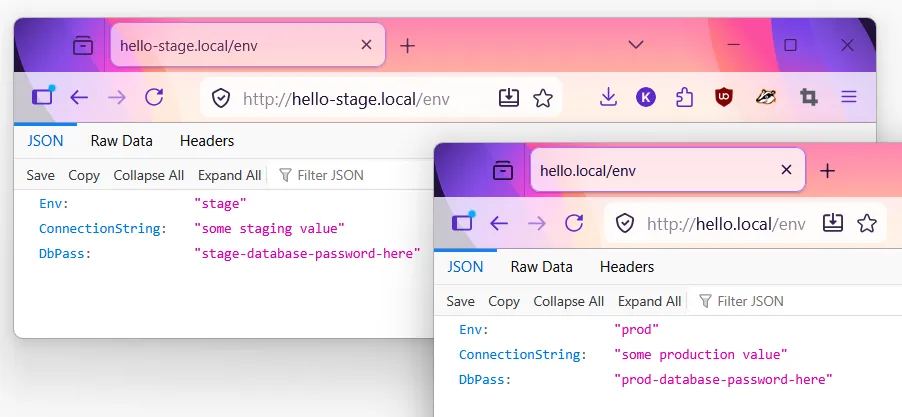
Secrets in K3s with Vault and External Secrets Operator
Series: K3s on Raspberry Pi
- Build a K3s Cluster on Raspberry Pi
- Deploy a Go Service to K3s
- GitOps on K3s with ArgoCD
- Multi-Environment K3s with Kustomize
- Secrets in K3s with Vault and External Secrets Operator ← this article
Continuation of Multi-Environment K3s with Kustomize. CONNECTION_STR currently comes from a plain ConfigMap - fine for non-secret config, but a database password shouldn’t sit in Git as plaintext YAML. This article adds Hashicorp Vault to store secrets, and External Secrets Operator (ESO) to sync them into the pod as normal environment variables.
Code on Github
- The infra project is available in github at https://github.com/mk48/k3s-infra/tree/03-vault-secret
- The golang REST service is here https://github.com/mk48/simple-http/tree/03-with-secret-env
1. Deploy Vault via ArgoCD
argocd/apps/templates/vault.yaml:
apiVersion: argoproj.io/v1alpha1
kind: Application
metadata:
  name: vault
  namespace: argocd
  finalizers:
    - resources-finalizer.argocd.argoproj.io # cleans up on delete

spec:
  project: default

  source:
    repoURL: https://helm.releases.hashicorp.com
    chart: vault
    targetRevision: 0.34.0

    helm:
      values: |
        server:
          standalone:
            enabled: true

          dataStorage:
            enabled: true
            size: 5Gi

          ingress:
            enabled: true
            ingressClassName: traefik

            hosts:
              - host: vault.local
                paths:
                  - /

        ui:
          enabled: true

        injector:
          enabled: false

  destination:
    server: https://kubernetes.default.svc
    namespace: vault

  syncPolicy:
    automated:
      prune: true
      selfHeal: true

    syncOptions:
      - CreateNamespace=true
standalone+dataStorage- a single Vault instance backed by a PVC. Good enough for a homelab; production setups use Raft or an external storage backend for HA.injector.enabled: false- the Vault Agent Injector adds secrets to pods as sidecars. We use External Secrets Operator instead, which writes secrets as regular KubernetesSecrets.
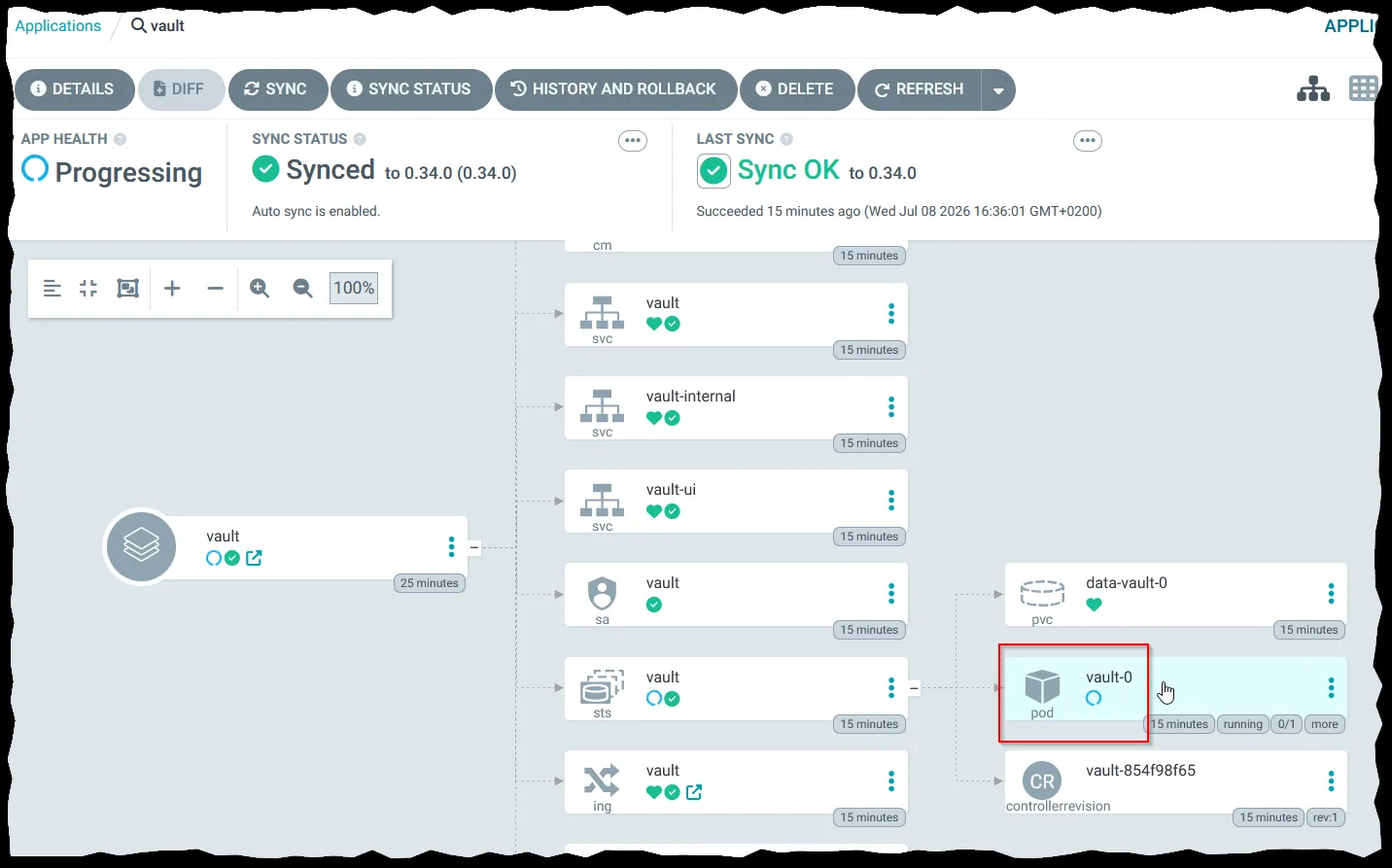
Push and let ArgoCD sync it. The pod won’t become ready yet:
Readiness probe failed: Key Value --- ----- Seal Type shamir Initialized false Sealed true Total Shares 0 Threshold 0 Unseal Progress 0/0 Unseal Nonce n/a Version 2.0.3 Build Date 2026-06-17T12:39:45Z Storage Type file HA Enabled false
The Helm chart installs Vault, but doesn’t initialize or unseal it. A new instance must be initialized and unsealed before it serves traffic - until then the readiness probe fails.
2. Initialize and unseal
PS C:\> kubectl exec -n vault vault-0 -- vault operator init
Unseal Key 1: 25FPkq6e************************************
Unseal Key 2: XG2iEWe7************************************
Unseal Key 3: 7zz8ZMT************************************
Unseal Key 4: SEhMbBy************************************
Unseal Key 5: nlOe/c1************************************

Initial Root Token: hvs.anJbe**************************

Vault initialized with 5 key shares and a key threshold of 3. Please securely
distribute the key shares printed above. When the Vault is re-sealed,
restarted, or stopped, you must supply at least 3 of these keys to unseal it
before it can start servicing requests.

Vault does not store the generated root key. Without at least 3 keys to
reconstruct the root key, Vault will remain permanently sealed!

It is possible to generate new unseal keys, provided you have a quorum of
existing unseal keys shares. See "vault operator rekey" for more information.
PS C:\>
Store these somewhere secure - never commit them to Git.
By default, init creates 5 key shares with a threshold of 3. Unseal with three different keys:
kubectl exec -it -n vault vault-0 -- vault operator unseal
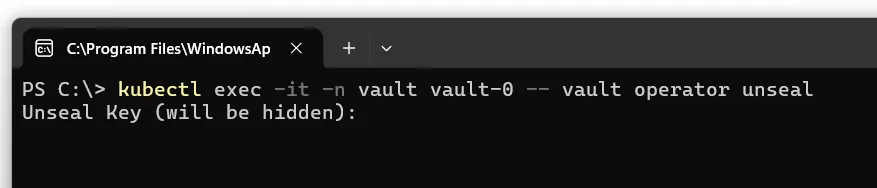
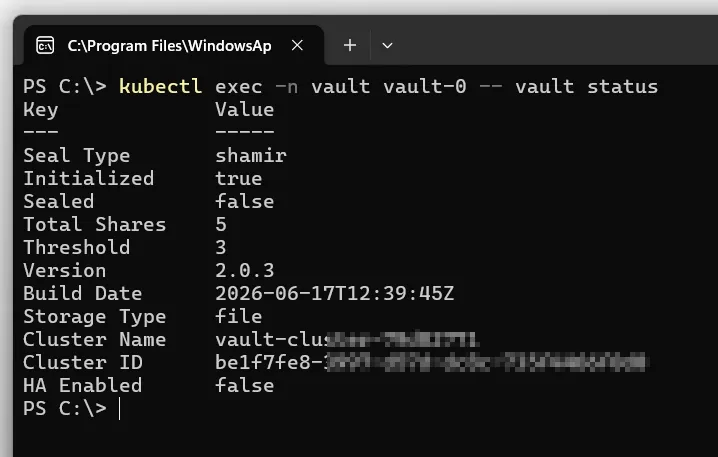
Run it three times total, then check status:
kubectl exec -n vault vault-0 -- vault status
Initialized true
Sealed false
With standalone + file storage, Vault re-seals every time the pod restarts - the data survives on the PVC, but you unseal again manually. Don’t run operator init again, just operator unseal three times:
kubectl exec -it -n vault vault-0 -- vault operator unseal
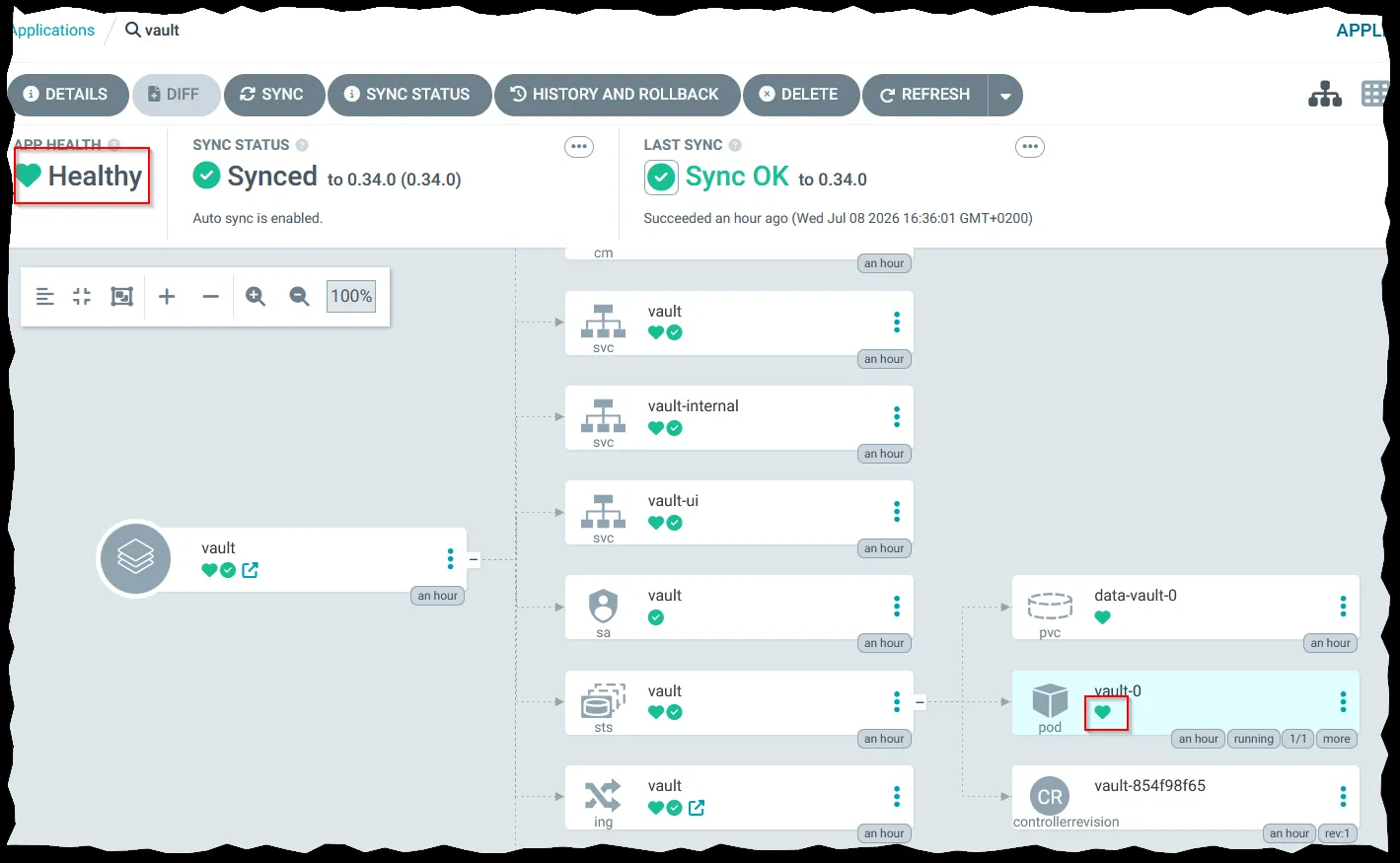
ArgoCD now shows the pod as healthy:
3. Open the Vault UI
Add the ingress host:
192.168.0.50 vault.local
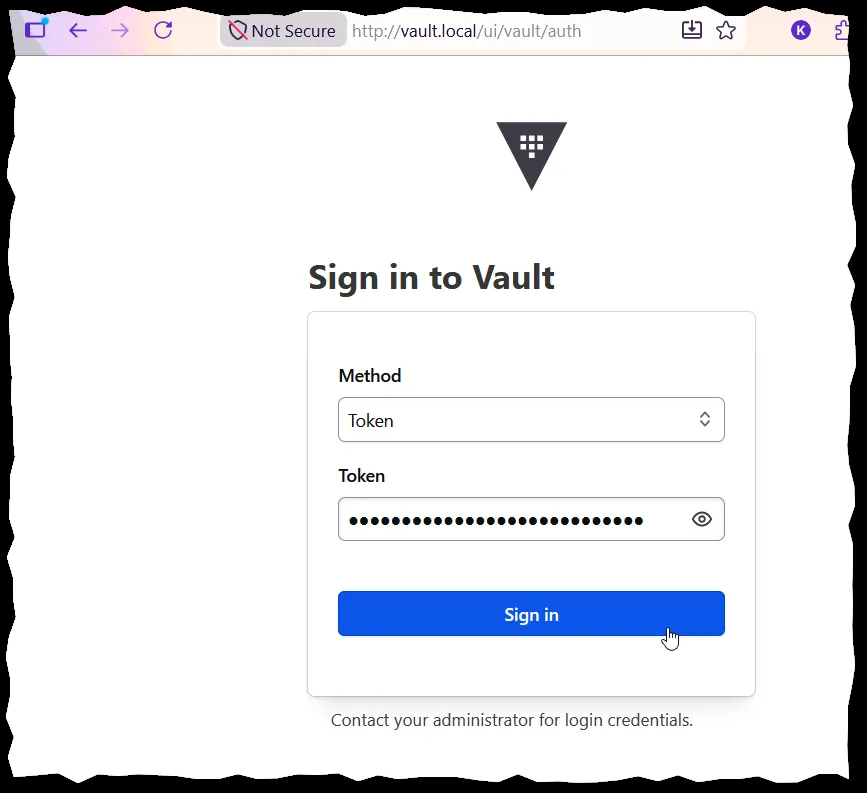
Open http://vault.local and log in with the root token.
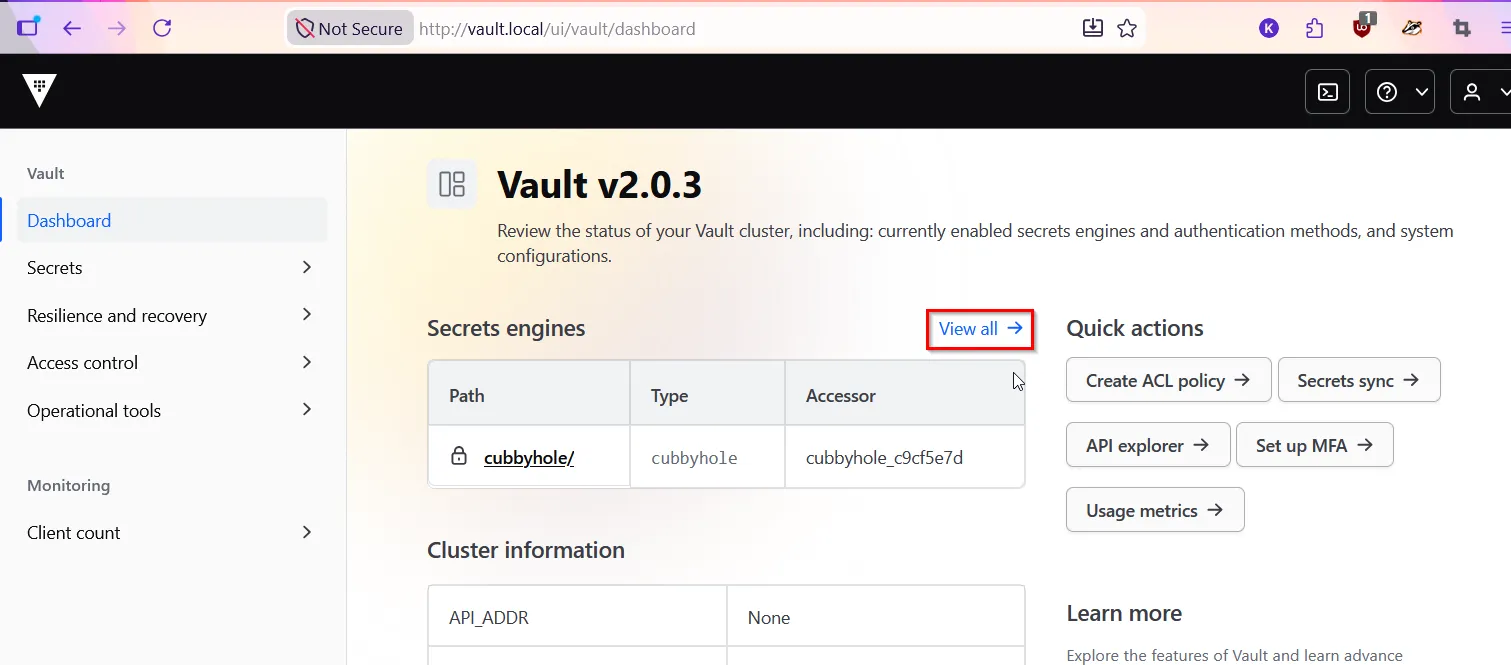
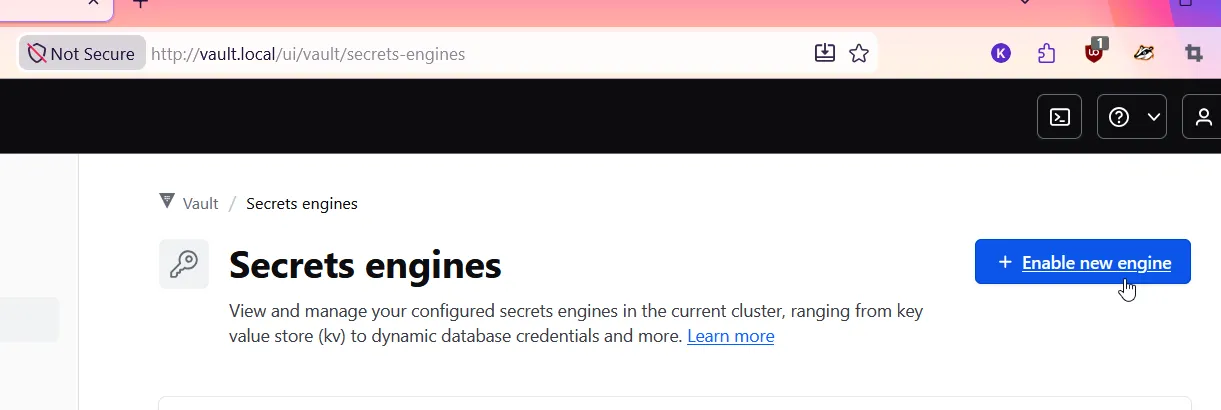
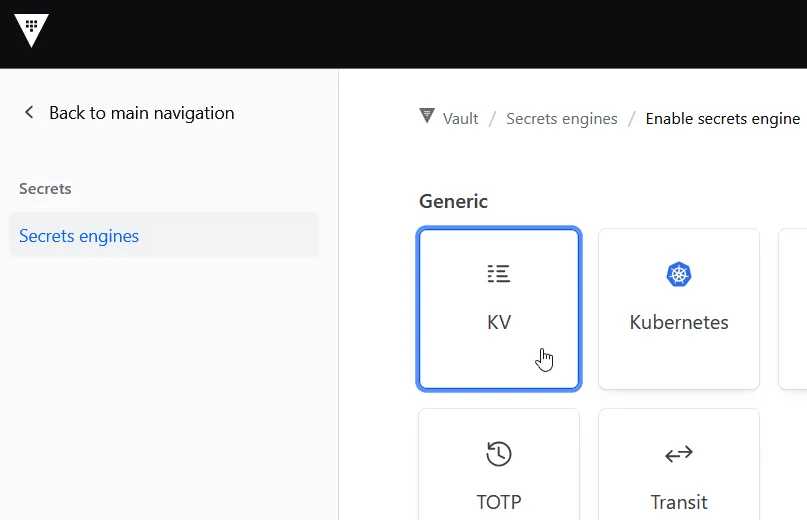
Click View all, then Enable new engine → KV:
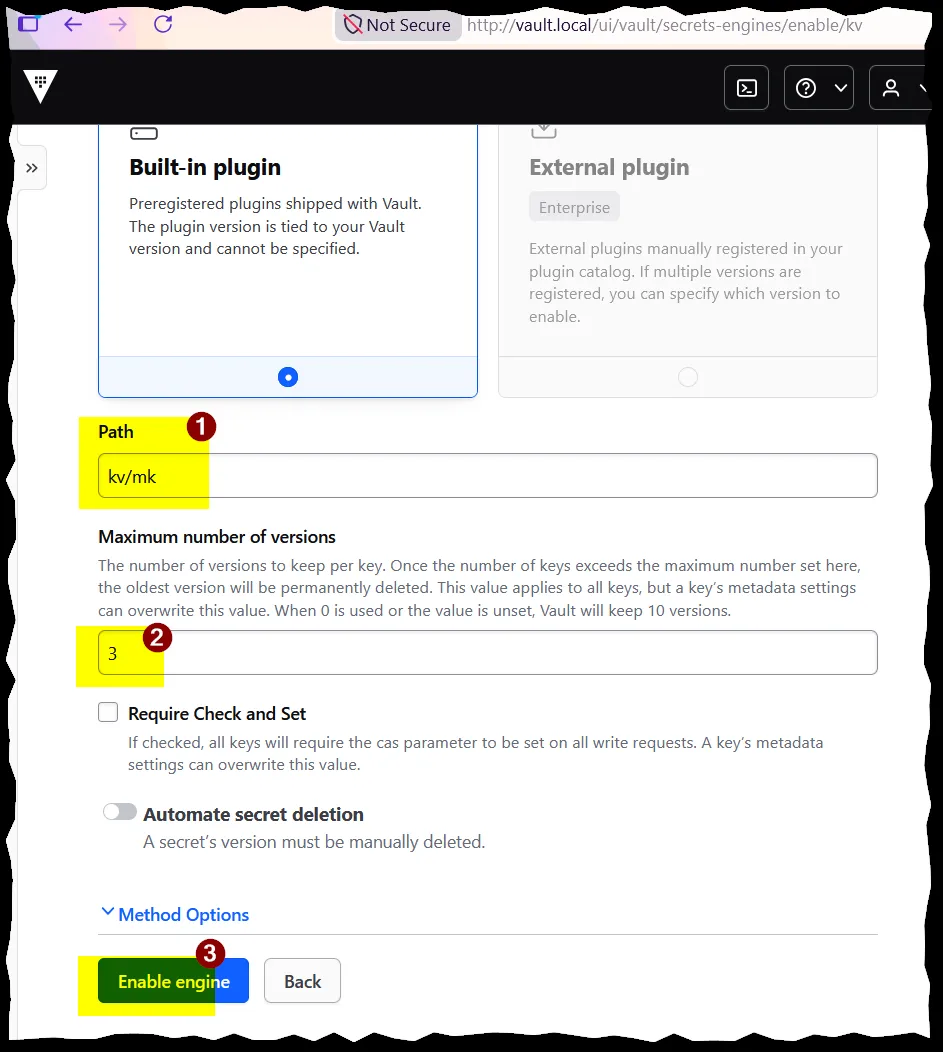
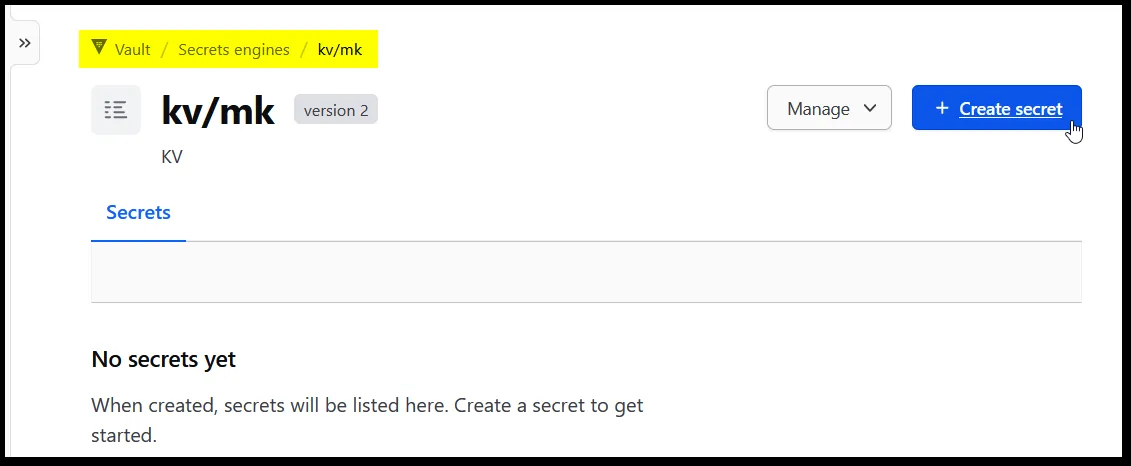
Mount it at kv/mk:
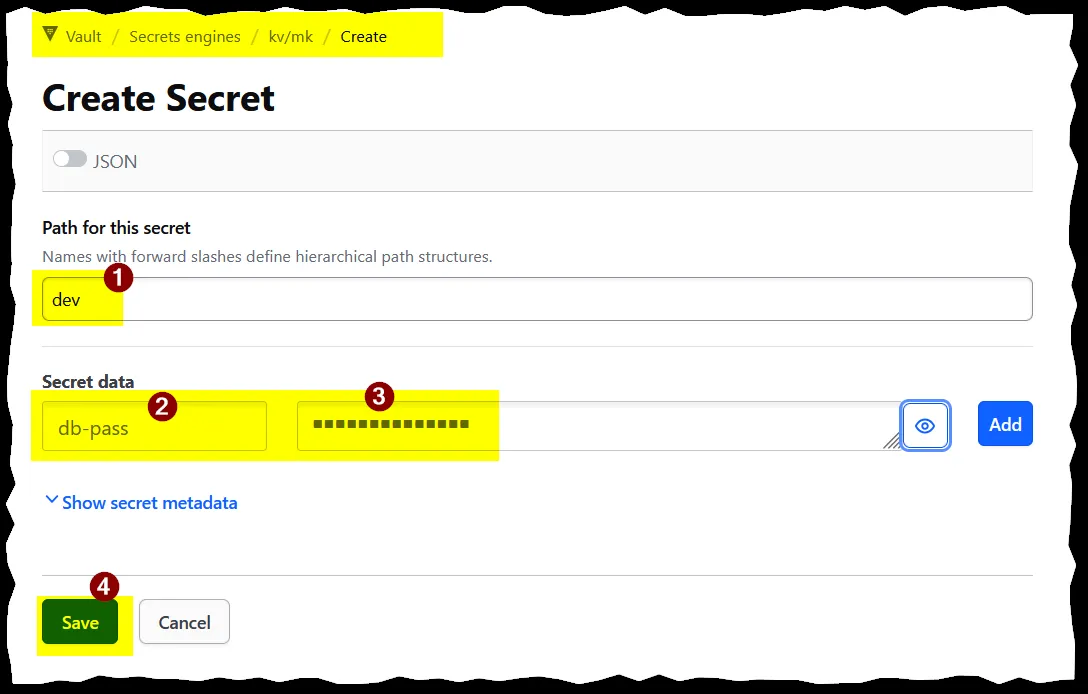
Create a secret for each environment - stage and prod - each with a db-pass field:
4. Install External Secrets Operator
Vault stores the secret; External Secrets Operator (ESO) reads it and creates a matching Kubernetes Secret.
argocd/apps/templates/external-secrets.yaml:
apiVersion: argoproj.io/v1alpha1
kind: Application
metadata:
  name: external-secrets
  namespace: argocd
  finalizers:
    - resources-finalizer.argocd.argoproj.io

spec:
  project: default

  source:
    repoURL: https://charts.external-secrets.io
    chart: external-secrets
    targetRevision: 2.7.0

  destination:
    server: https://kubernetes.default.svc
    namespace: external-secrets

  syncPolicy:
    automated:
      prune: true
      selfHeal: true

    syncOptions:
      - CreateNamespace=true
      - ServerSideApply=true
ESO ships a CRD per secret provider. Two of them (ClusterSecretStore, SecretStore) are large enough that a normal kubectl apply exceeds Kubernetes’ 256KB annotation limit, since apply stores the whole object in a last-applied-configuration annotation. ServerSideApply=true skips that annotation.
kubectl get pods -n external-secrets
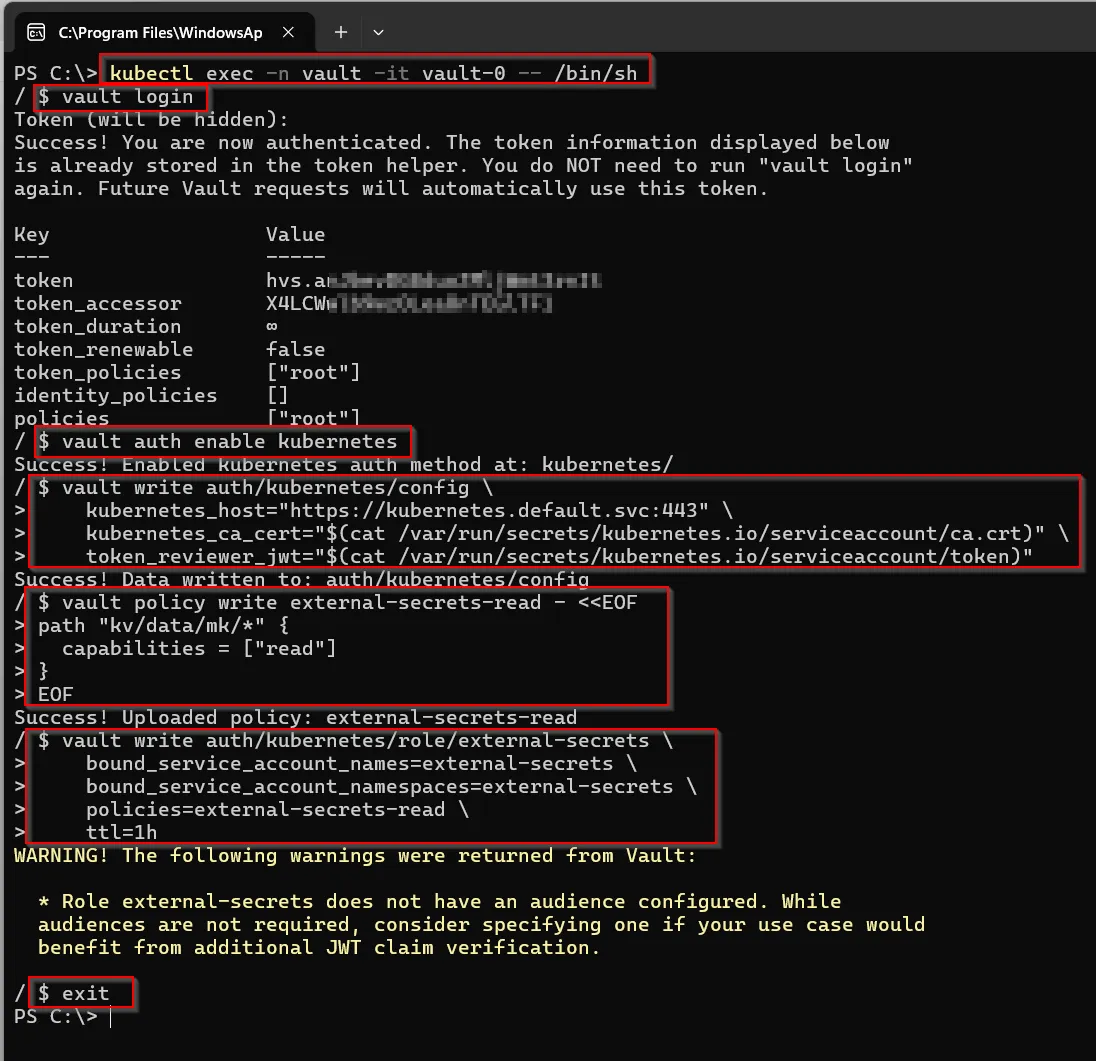
5. Give Vault access to External Secrets
Shell into the Vault pod and log in with the root token:
kubectl exec -n vault -it vault-0 -- /bin/sh
vault login
Enable the Kubernetes auth method:
vault auth enable kubernetes
Point it at the cluster’s API server, using the pod’s own mounted ServiceAccount token and CA cert:
vault write auth/kubernetes/config \
    kubernetes_host="https://kubernetes.default.svc:443" \
    kubernetes_ca_cert="$(cat /var/run/secrets/kubernetes.io/serviceaccount/ca.crt)" \
    token_reviewer_jwt="$(cat /var/run/secrets/kubernetes.io/serviceaccount/token)"
Write a read-only policy for the kv/mk engine. KV v2 inserts data right after the mount path, so the API path is kv/mk/data/*:
vault policy write external-secrets-read - <<EOF
path "kv/mk/data/*" {
  capabilities = ["read"]
}
EOF
Create a role binding ESO’s ServiceAccount to that policy:
vault write auth/kubernetes/role/external-secrets \
    bound_service_account_names=external-secrets \
    bound_service_account_namespaces=external-secrets \
    policies=external-secrets-read \
    ttl=1h

exit
6. ClusterSecretStore
One Vault serving the whole cluster needs only one ClusterSecretStore - it’s cluster-scoped, so every ExternalSecret in every namespace can reference it.
projects/platform/secret-store/cluster-secret-store.yaml:
apiVersion: external-secrets.io/v1
kind: ClusterSecretStore
metadata:
  name: vault-backend
spec:
  provider:
    vault:
      server: 'http://vault.vault.svc.cluster.local:8200'
      path: 'kv/mk'
      version: 'v2'
      auth:
        kubernetes:
          mountPath: 'kubernetes'
          role: 'external-secrets'
          serviceAccountRef:
            name: external-secrets
            namespace: external-secrets
projects/platform/secret-store/kustomization.yaml:
apiVersion: kustomize.config.k8s.io/v1beta1
kind: Kustomization

resources:
  - cluster-secret-store.yaml
argocd/apps/templates/secret-store.yaml - it depends on the CRD from the external-secrets app, so it gets a later sync-wave:
apiVersion: argoproj.io/v1alpha1
kind: Application
metadata:
  name: secret-store
  namespace: argocd
  annotations:
    argocd.argoproj.io/sync-wave: '1'
  finalizers:
    - resources-finalizer.argocd.argoproj.io

spec:
  project: default

  source:
    repoURL: https://github.com/mk48/k3s-infra
    targetRevision: main
    path: projects/platform/secret-store

  destination:
    server: https://kubernetes.default.svc
    namespace: external-secrets

  syncPolicy:
    automated:
      prune: true
      selfHeal: true
kubectl get clustersecretstore vault-backend
# NAME            CAPABILITIES   READY
# vault-backend   ReadWrite      True
7. ExternalSecret per environment
ExternalSecret is namespaced - it creates the actual Secret in that namespace. The app runs in pi-stage and pi-prod, so each environment gets its own.
projects/simple-rest-api/stage/externalsecret.yaml:
apiVersion: external-secrets.io/v1
kind: ExternalSecret
metadata:
  name: hello-world-secret
spec:
  refreshInterval: 1h
  secretStoreRef:
    name: vault-backend
    kind: ClusterSecretStore
  target:
    name: hello-world-secret
  data:
    - secretKey: DB_PASS
      remoteRef:
        key: stage
        property: db-pass
prod/externalsecret.yaml is identical, with key: prod.
remoteRef.key- the secret’s path inside thekv/mkmount (stage, from step 3)remoteRef.property- the field name inside that secret (db-pass, from step 3)target.name- the KubernetesSecretESO creates from this data
Add it to the environment’s kustomization.yaml:
resources:
  - ../common
  - configmap.yaml
  - externalsecret.yaml
Patch the Deployment to load the resulting Secret as env vars, appended onto the existing envFrom:
patches:
  - target:
      kind: Deployment
      name: hello-world
    patch: |-
      - op: add
        path: /spec/template/spec/containers/0/envFrom/-
        value:
          secretRef:
            name: hello-world-secret
8. Result
kubectl get externalsecret -n pi-stage
# NAME                 STORETYPE            STORE           STATUS         READY
# hello-world-secret   ClusterSecretStore   vault-backend   SecretSynced   True
kubectl get secret hello-world-secret -n pi-stage -o jsonpath='{.data.DB_PASS}' | base64 -d
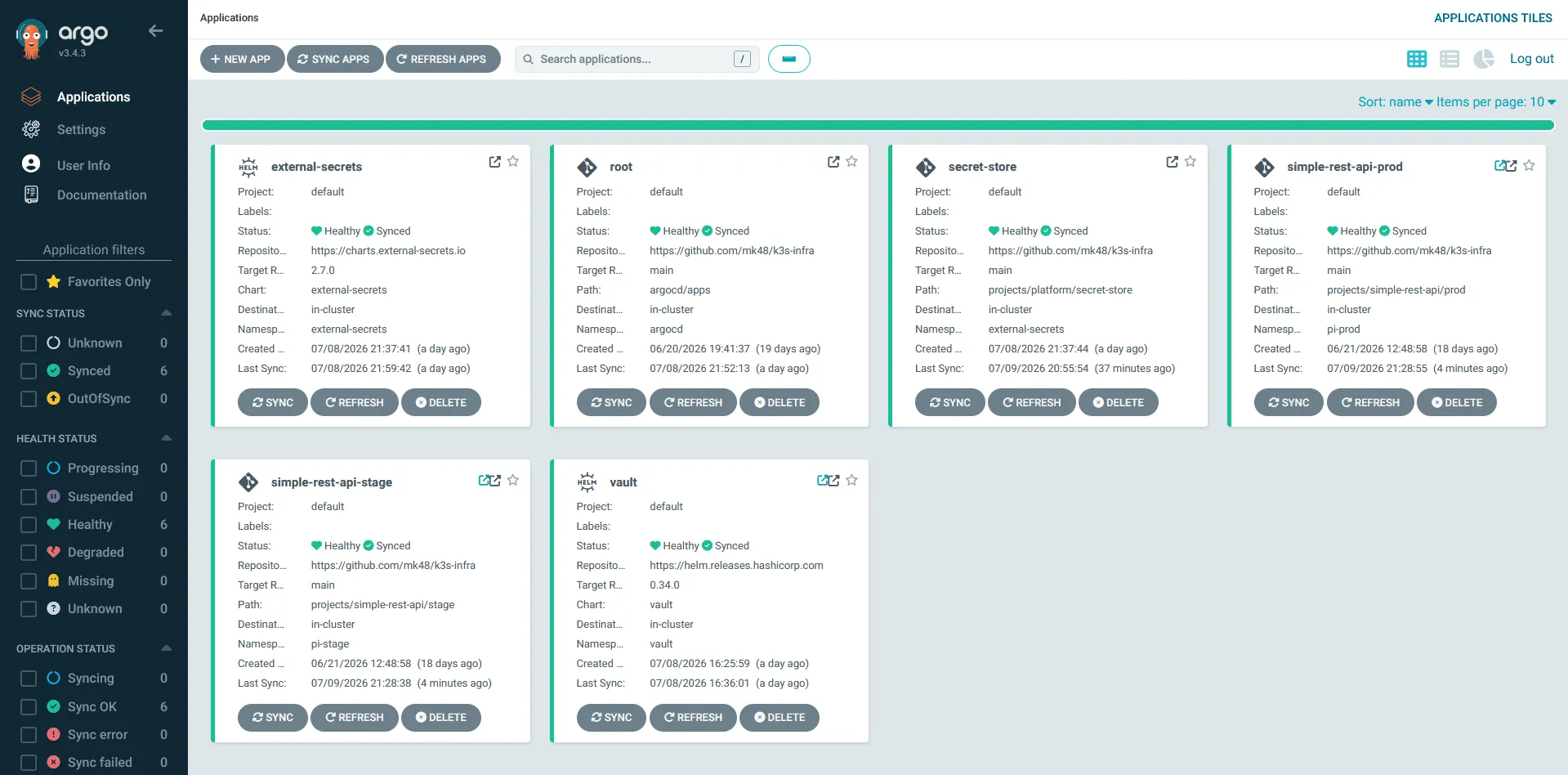
ArgoCD shows both new apps alongside the rest:
DB_PASS now shows up in the pod’s environment, next to ENV and CONNECTION_STR from the ConfigMap: