Series: K3s on Raspberry Pi
- Build a K3s Cluster on Raspberry Pi
- Deploy a Go Service to K3s
- GitOps on K3s with ArgoCD
- Multi-Environment K3s with Kustomize ← this article
- Secrets in K3s with Vault and External Secrets Operator
Continuation of GitOps on K3s with ArgoCD. ArgoCD is running and deploying the Go REST service from Git. Now split it into stage and prod environments.
The problem with duplicating YAML
The naive approach is to copy the projects/simple-rest-api/ folder twice - once for stage, once for prod - and change the namespace, replicas, and host in each copy. That works until you need to update a probe, add a label, or change resource limits. You make the change in one folder and forget the other. They drift.
Kustomize solves this with a base + overlay model: write the manifests once in common/, then write small patches per environment. Only the diff lives in stage/ and prod/.
1. Update the Go service to read env vars
The full updated service is at github.com/mk48/simple-http/tree/02-reading-env.
It adds two libraries:
"github.com/caarlos0/env/v11"   // parses env vars into a struct
"github.com/joho/godotenv"      // loads a .env file locally (ignored in prod)
type AppENV struct {
	Env              string `env:"ENV,notEmpty"`
	ConnectionString string `env:"CONNECTION_STR,notEmpty"`
}

func ReadAppENVs(log *slog.Logger) AppENV {
	cfg := AppENV{}

	err := godotenv.Load()
	if err != nil {
		// .env file won't exist in the cluster - that's fine, use system env vars
		log.Info("Error loading .env file. Using system's environment variables")
	}

	if err := env.Parse(&cfg); err != nil {
		log.Error("Error in parsing environment variables", "err", err)
		os.Exit(1)
	}

	return cfg
}
We can also expose the environment variable via a simple /env url. This is only for testing purpose, normally we should not expose.
//file: main.go
env := ReadAppENVs(e.Logger)

// just simple end point to expose the environment variables
e.GET("/env", func(c *echo.Context) error {
    return c.JSON(http.StatusOK, env) //don't send all if it contains secrets
})
Push to main - the existing ArgoCD setup deploys it automatically.
2. The new infra repo structure
The infra repo at github.com/mk48/k3s-infra changed in two places:
k3s-infra/
├── argocd/
│   ├── root-app.yaml            # unchanged - still the one manual apply
│   ├── ingress.yaml
│   └── apps/                    # ← became a Helm chart
│       ├── Chart.yaml
│       ├── values.yaml          # list of environments
│       └── templates/
│           └── simple-rest-api.yaml  # generates one ArgoCD App per env
└── projects/
    └── simple-rest-api/         # ← restructured with Kustomize
        ├── common/              # base manifests (shared across all envs)
        │   ├── deployment.yaml
        │   ├── service.yaml
        │   ├── ingress.yaml
        │   └── kustomization.yaml
        ├── stage/               # stage-specific patches
        │   ├── kustomization.yaml
        │   └── configmap.yaml
        └── prod/                # prod-specific patches
            ├── kustomization.yaml
            └── configmap.yaml
3. Kustomize - common base and overlays
common/ - write once
No namespace here. No environment-specific values. Just the canonical shape of the app.
common/deployment.yaml
apiVersion: apps/v1
kind: Deployment
metadata:
  name: hello-world
spec:
  replicas: 2
  selector:
    matchLabels:
      app: hello-world
  template:
    metadata:
      labels:
        app: hello-world
    spec:
      containers:
        - name: hello-world
          image: ghcr.io/mk48/simple-http:latest
          imagePullPolicy: IfNotPresent
          resources:
            requests:
              cpu: '2m'
              memory: '12Mi'
            limits:
              cpu: 100m
              memory: 64Mi
          ports:
            - containerPort: 8080
              name: web
              protocol: TCP
          readinessProbe:
            httpGet:
              path: /
              port: web
            periodSeconds: 30
          livenessProbe:
            httpGet:
              path: /
              port: web
            initialDelaySeconds: 3
            periodSeconds: 30
common/service.yaml
apiVersion: v1
kind: Service
metadata:
  name: hello-world-service
spec:
  selector:
    app: hello-world
  ports:
    - name: http
      protocol: TCP
      port: 80
      targetPort: 8080
common/ingress.yaml
apiVersion: networking.k8s.io/v1
kind: Ingress
metadata:
  name: hello-world-ingress
spec:
  ingressClassName: traefik
  rules:
    - host: hello.local
      http:
        paths:
          - path: /
            pathType: Prefix
            backend:
              service:
                name: hello-world-service
                port:
                  number: 80
common/kustomization.yaml - declares which files belong to this base and adds a label to every resource:
apiVersion: kustomize.config.k8s.io/v1beta1
kind: Kustomization

labels:
  - includeSelectors: true
    pairs:
      app: hello-world

resources:
  - deployment.yaml
  - ingress.yaml
  - service.yaml
stage/ - patch only what differs
Stage gets 1 replica, its own hostname, its own image tag, and its ConfigMap injected as env vars. Everything else inherits from common/.
stage/kustomization.yaml
apiVersion: kustomize.config.k8s.io/v1beta1
kind: Kustomization
namespace: pi-stage # sets namespace on every resource from common/

resources:
  - ../common # pull in the base
  - configmap.yaml # add the ConfigMap resource

patches:
  - target:
      kind: Ingress
      name: hello-world-ingress
    patch: |-
      - op: replace
        path: /spec/rules/0/host
        value: hello-stage.local
  - target:
      kind: Deployment
      name: hello-world
    patch: |-
      - op: replace
        path: /spec/replicas
        value: 1
  - target:
      kind: Deployment
      name: hello-world
    patch: |-
      - op: add
        path: /spec/template/spec/containers/0/envFrom
        value:
          - configMapRef:
              name: hello-world-config

images:
  - name: ghcr.io/mk48/simple-http
    newTag: '4' # pin to a specific image tag
stage/configmap.yaml
apiVersion: v1
kind: ConfigMap
metadata:
  name: hello-world-config
data:
  ENV: 'stage'
  CONNECTION_STR: 'some staging value'
prod/ - same pattern, different values
prod/kustomization.yaml
apiVersion: kustomize.config.k8s.io/v1beta1
kind: Kustomization
namespace: pi-prod

resources:
  - ../common
  - configmap.yaml

patches:
  - target:
      kind: Ingress
      name: hello-world-ingress
    patch: |-
      - op: replace
        path: /spec/rules/0/host
        value: hello.local
  - target:
      kind: Deployment
      name: hello-world
    patch: |-
      - op: add
        path: /spec/template/spec/containers/0/envFrom
        value:
          - configMapRef:
              name: hello-world-config

images:
  - name: ghcr.io/mk48/simple-http
    newTag: '4'
prod/configmap.yaml
apiVersion: v1
kind: ConfigMap
metadata:
  name: hello-world-config
data:
  ENV: 'prod'
  CONNECTION_STR: 'some production value'
Prod keeps 2 replicas (the default from common/) - no patch needed.
Preview the final manifests locally
Before pushing, verify what Kustomize will generate:
kubectl kustomize projects/simple-rest-api/stage
kubectl kustomize projects/simple-rest-api/prod
This outputs the fully rendered YAML exactly as ArgoCD will apply it - useful for catching mistakes without touching the cluster.
4. Helm in argocd/apps/ - one app definition, N environments
Previously argocd/apps/ held plain YAML files - one Application per app. Now it needs two Applications per app (stage + prod). Adding a third environment would mean another manual file.
Instead, argocd/apps/ became a Helm chart that loops over an environment list and generates one ArgoCD Application per entry.
argocd/apps/values.yaml - the only file you edit to add/remove environments:
clusters:
  stage:
    name: stage
  prod:
    name: prod
argocd/apps/Chart.yaml
apiVersion: v2
appVersion: '1.0'
description: Applications
name: applications
version: 0.1.0
argocd/apps/templates/simple-rest-api.yaml - generates one Application per entry in values.yaml:
{{- range $i, $cluster := .Values.clusters }}
---
apiVersion: argoproj.io/v1alpha1
kind: Application
metadata:
  name: simple-rest-api-{{ $cluster.name }}
  namespace: argocd
  finalizers:
    - resources-finalizer.argocd.argoproj.io
spec:
  project: default
  source:
    repoURL: https://github.com/mk48/k3s-infra
    targetRevision: main
    path: projects/simple-rest-api/{{ $cluster.name }}
  destination:
    server: https://kubernetes.default.svc
    namespace: pi-{{ $cluster.name }}
  syncPolicy:
    automated:
      prune: true
      selfHeal: true
    syncOptions:
      - CreateNamespace=true
{{- end }}
The loop produces simple-rest-api-stage and simple-rest-api-prod from a single template. Adding a canary environment in the future means one line in values.yaml.
Since argocd/apps/ is now a Helm chart, the root app picks it up automatically - no changes needed to root-app.yaml.
5. Add the stage hostname
Add hello-stage.local to your Windows hosts file:
192.168.0.51  argocd.local
192.168.0.51  hello.local
192.168.0.51  hello-stage.local
6. Result
Push the infra repo changes. ArgoCD detects the updated argocd/apps/ chart, renders the two Applications, and syncs both environments.
sudo kubectl get applications -n argocd
# NAME                     SYNC STATUS   HEALTH STATUS
# root                     Synced        Healthy
# simple-rest-api-stage    Synced        Healthy
# simple-rest-api-prod     Synced        Healthy
sudo kubectl get pods -n pi-stage
# hello-world-xxx   1/1   Running   (1 replica)

sudo kubectl get pods -n pi-prod
# hello-world-xxx   1/1   Running
# hello-world-yyy   1/1   Running   (2 replicas)
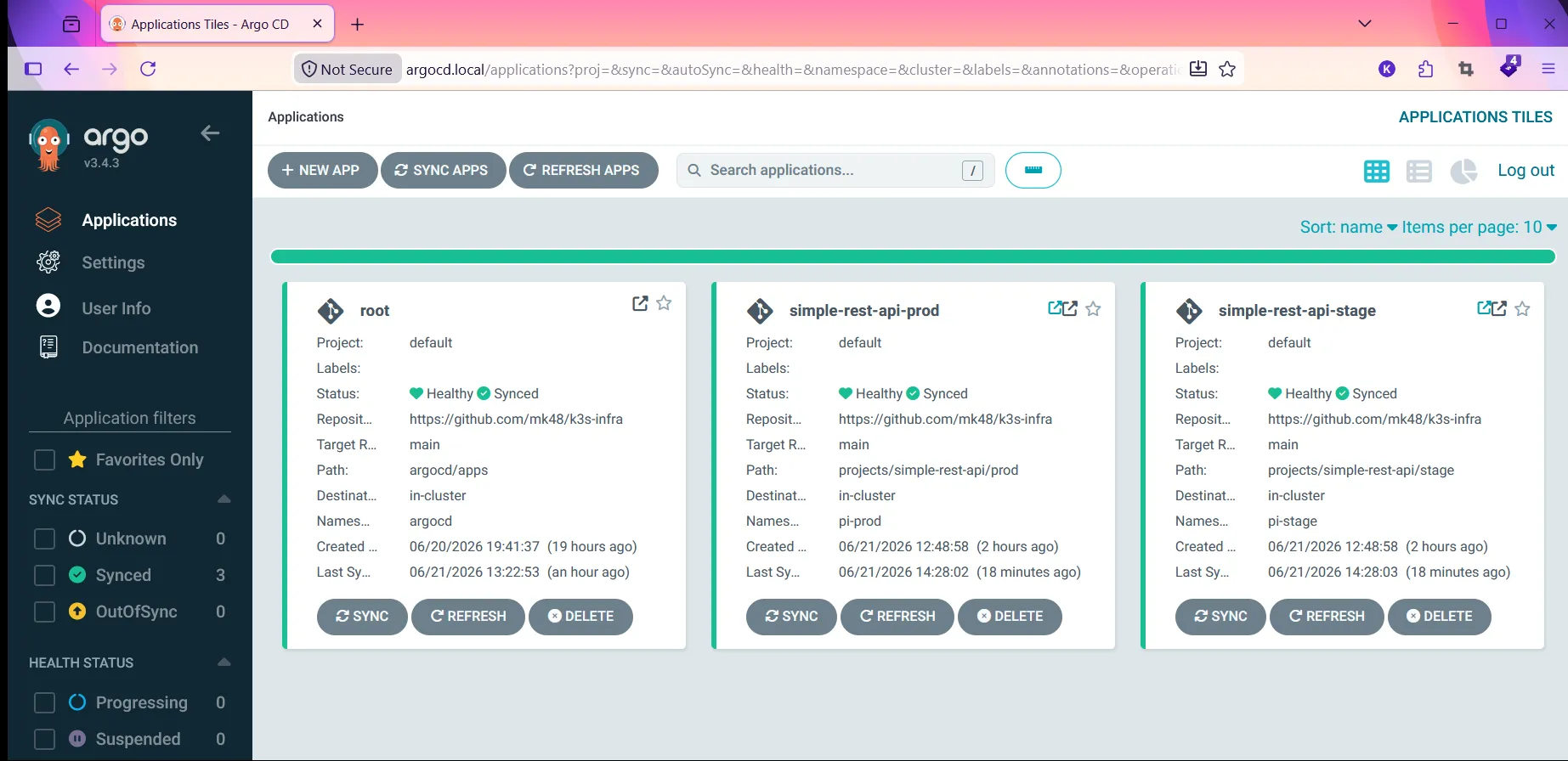
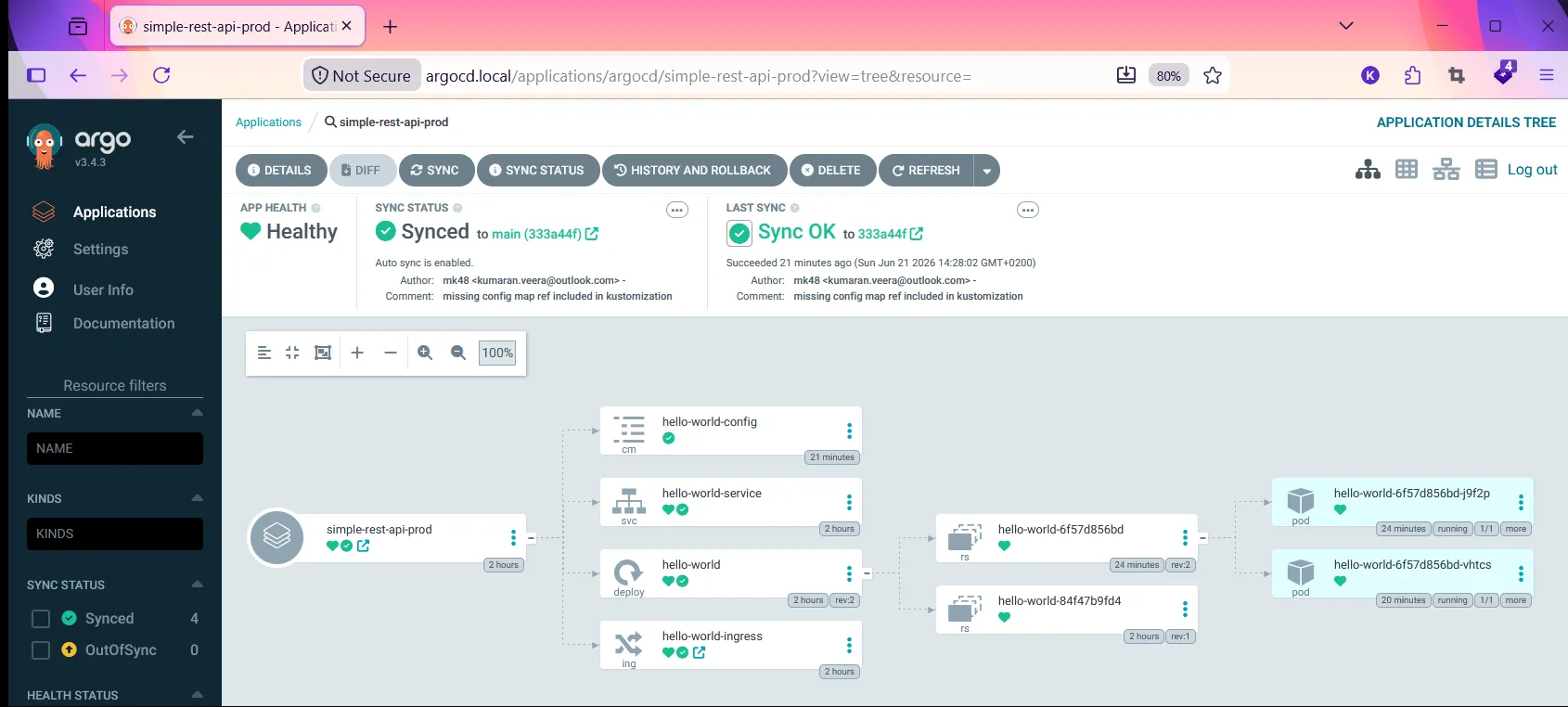
We can see the ArgoCD has two applications deployed now.
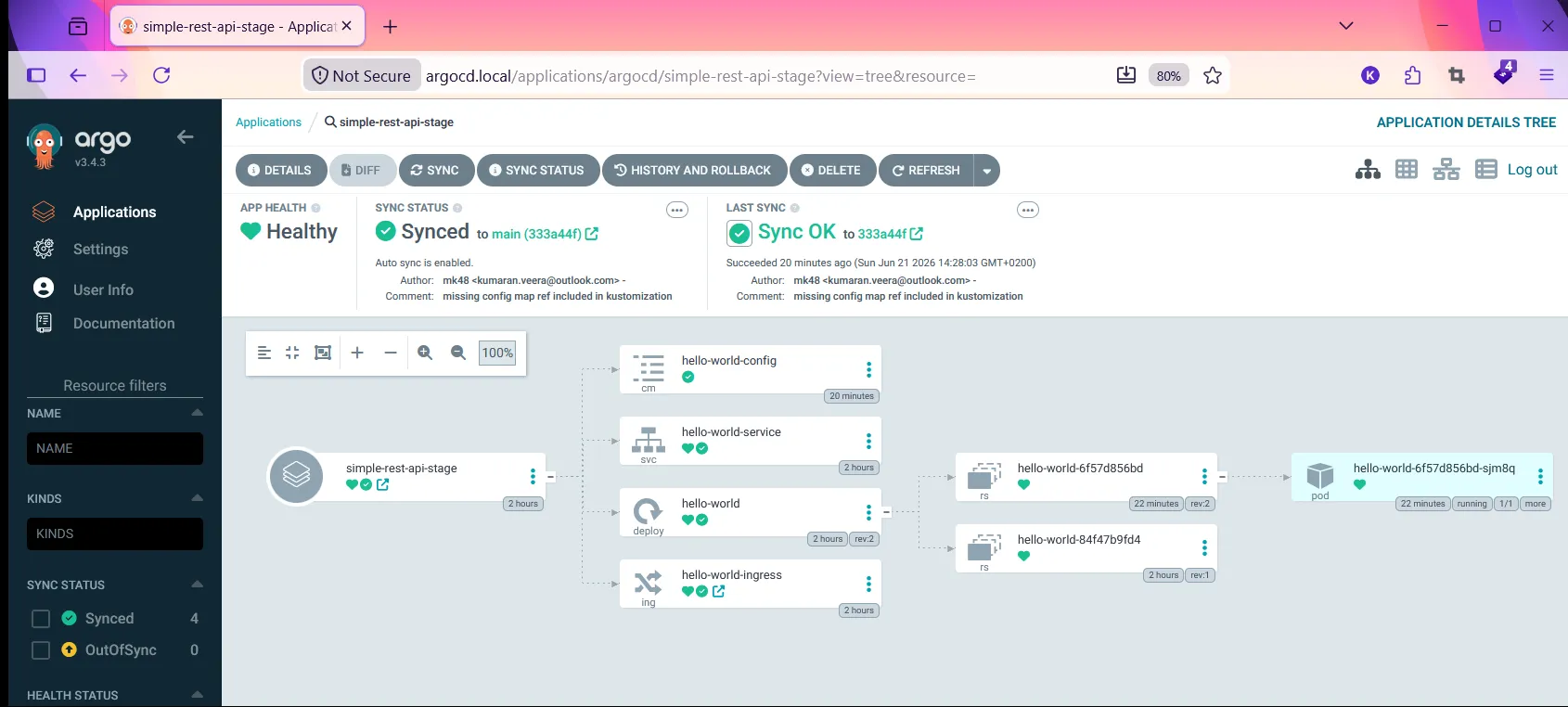
The stage has one replica
Production has two replicas
curl http://hello-stage.local   # Hello, World from: hello-world-xxx (ENV=stage)
curl http://hello.local         # Hello, World from: hello-world-yyy (ENV=prod)
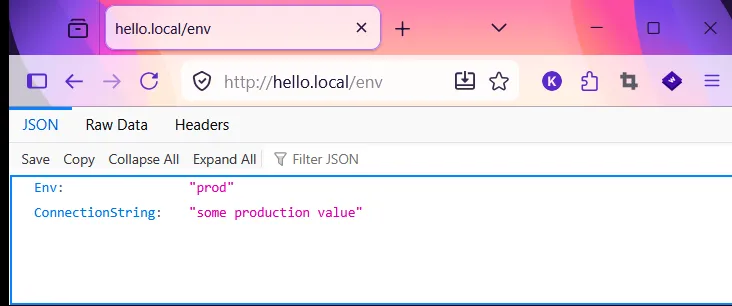
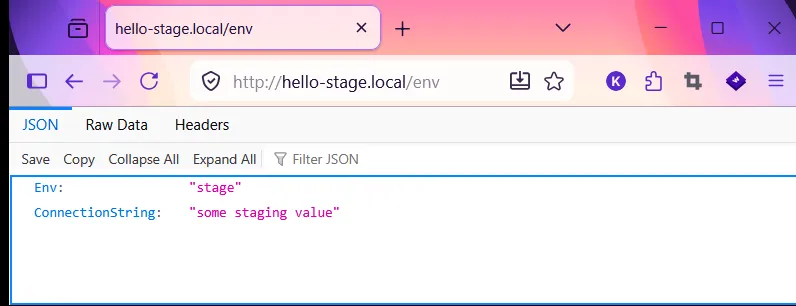
By visiting the /env url we can see the environment variables, we already exposed the endpoints in our Go program.